
Remove silence for Premiere Pro, DaVinci Resolve and Final Cut
You want to keep editing in your own software, but without spending an hour removing pauses first. QuietCut detects the silence in your recording and exports a cut timeline as XML that you open in Premiere Pro, DaVinci Resolve or Final Cut.
XML export: a timeline, not a render
The XML export does not re-encode your video. It creates a timeline with all cuts already made, which you can open and refine in your editor. That is why it is very fast: a 2 hour video with 2 audio sources takes around 15 to 30 seconds on an NVMe SSD.
If you do not need to edit further, pick MP4 for a finished, fully cut video file, or export both at once.
Workflow
- Drag your recording into QuietCut.
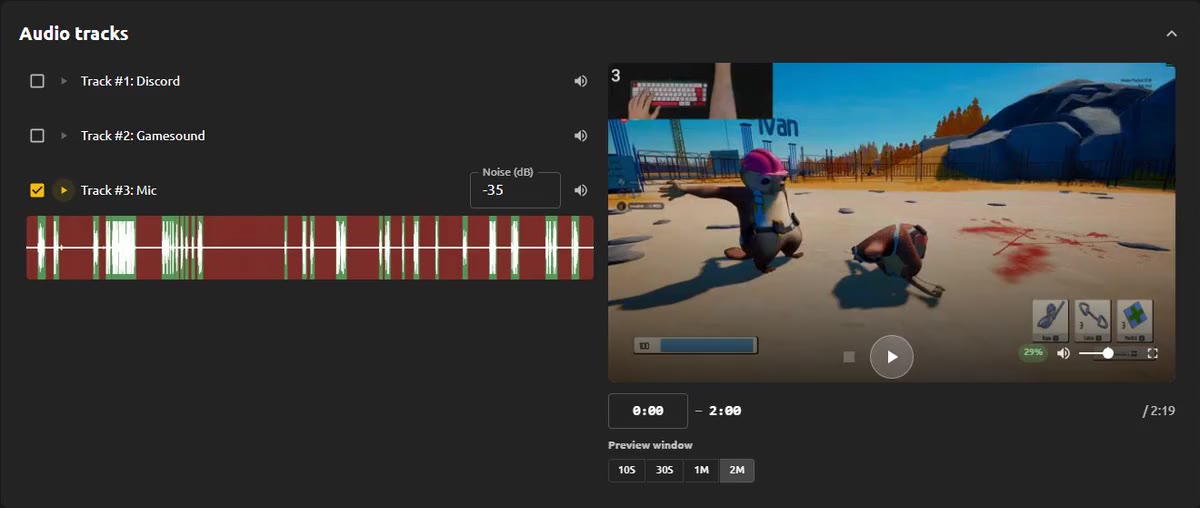
- Pick the audio track that should drive the cut, usually your mic.
- Adjust the dB threshold, minimum pause length and margins. Passages that must stay untouched go into Do Not Touch (Premium).
- Export as XML and open the timeline in Premiere Pro, DaVinci Resolve or Final Cut.
Local and without AI
QuietCut is a standalone desktop app for Windows and macOS. Your footage never leaves your machine and there is no AI or cloud processing involved. The Basic plan is free, Premium is a one-time payment instead of a subscription.