
Never cut out silence again.
No AI, no cloud, no subscription.
QuietCut is a silence remover that finds the quiet parts in your raw footage and cuts them out automatically, entirely on your own machine. With Autopilot it even runs in the background while you are already working on the next video. Ideal for VODs, podcasts, let’s plays and talks.
Features
Automatic silence removal
Detects quiet passages and cuts them out. Margins keep the transitions natural instead of choppy.
Multiple audio tracks
A separate dB threshold per track. Mic, game audio, guests and any other track are judged individually instead of all at once.
Preview before export
Watch and listen to the cut first. If something is off, you adjust the threshold instead of the finished render.
Bulk processing
Whole series at once. Queue up several videos and QuietCut works through them.
XML and MP4 export
A finished video file or a cut timeline for Premiere, Resolve and others. The timeline is usually ready in seconds to a few minutes.
Autopilot
Drop your video into a watched folder and QuietCut does the rest. Keeps running in the background even after you close the window.
Clip Exporter
Set chapter markers in OBS while recording and QuietCut turns every marker into its own clip. Can be linked with Autopilot, so new recordings are split into clips automatically.
Presets & history
Save setups as presets. The settings history brings back the settings of your recent exports with one click.
Pricing
Basic
- Remove silence automatically
- Multiple audio tracks
- XML and MP4 export
- dB threshold per track
- Smooth transitions (margins)
- 1 hour of credits per month
- 3 preset slots
Premium 30 Days
Ends automatically after 30 days. No subscription, no automatic renewal.
Everything in Basic, plus:
- Unlimited usage
- Unlimited presets
- Bulk processing
- Audio track visualization
- Exclude tracks from export
- Audio preview
- Video preview
- Do Not Touch mode
- Autopilot (folder watching)
- Cut heatmap
- Settings history
Premium Lifetime
Pay once, keep it forever. No subscription, never expires.
Everything in Basic, plus:
- Unlimited usage
- Unlimited presets
- Bulk processing
- Audio track visualization
- Exclude tracks from export
- Audio preview
- Video preview
- Do Not Touch mode
- Autopilot (folder watching)
- Cut heatmap
- Settings history
Why?
I built QuietCut because I was wasting a ridiculous amount of time while editing videos, especially cutting long YouTube videos from my Twitch VODs. Going through every quiet section and removing it manually is tedious and costs hours for no reason.
I also absolutely hate subscription services. I want to own software and not rent it. That’s why QuietCut is designed around a one‑time payment for lifetime access, so people can actually own their tools again. If you only need QuietCut for a single project or want to try it properly first, there is a 30‑day pass instead. That is also a one‑time payment: it simply ends after 30 days, nothing renews and nothing gets charged automatically.
Furthermore there is no AI or any kind of server-side rendering implemented. Everything runs locally on YOUR machine. This was very important to me, as literally every company nowadays puts some useless AI shit in their software.
At the same time, it was important to me to provide a solid free Basic version so everyone can benefit, even if someone can’t afford it right now or is going through a tough time.
If you want to support ongoing development, you can also donate using the button below. It helps me keep improving the project.
How it works
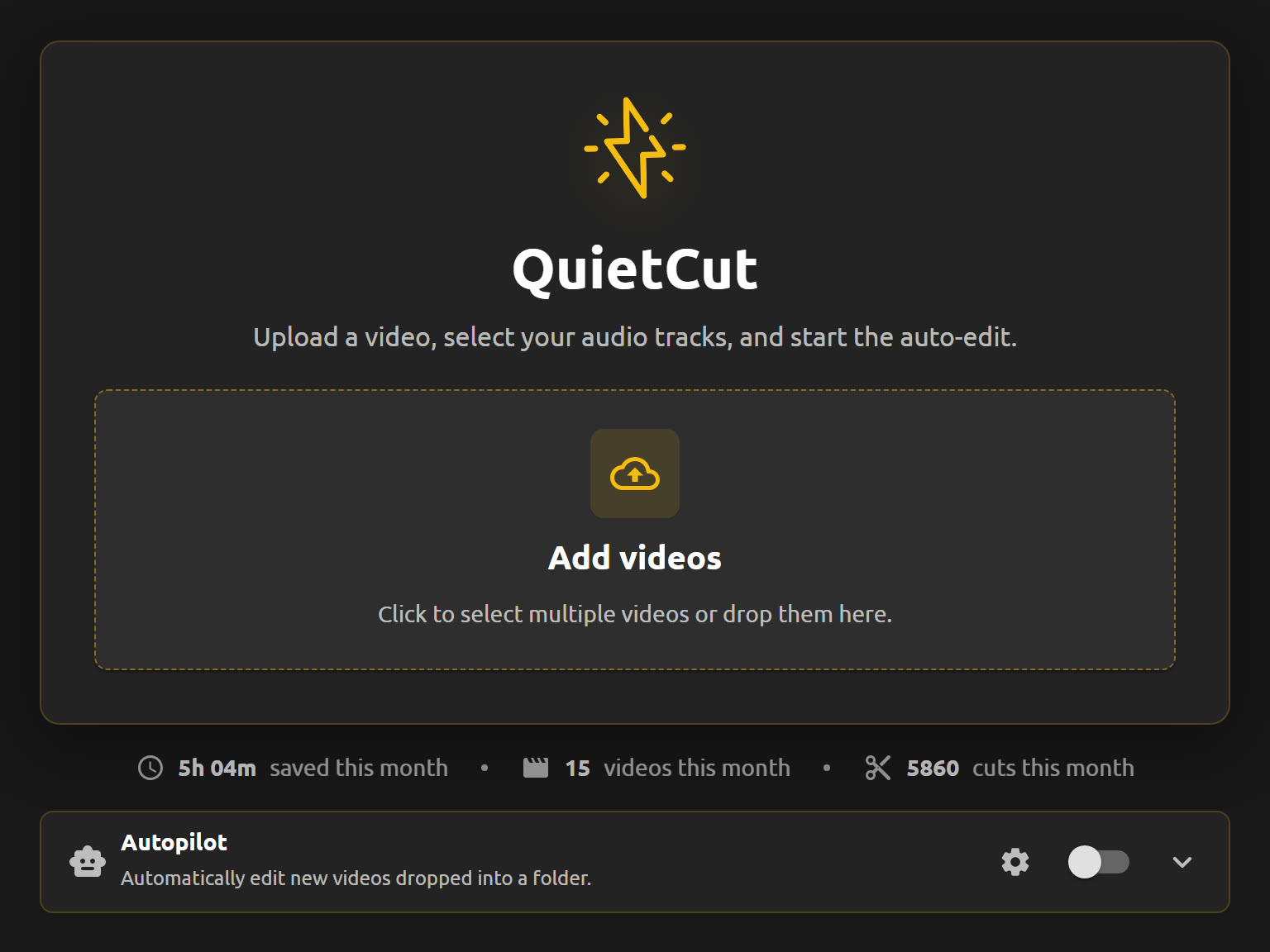
Select your files
Drag your recording into QuietCut or pick it through the file dialog. With Premium you can drop in several videos at once and let them run as a batch. Right below you can see how much time QuietCut has already saved you this month.
Pick your tracks & review the silence
QuietCut reads every audio track in your recording separately, whether it is your mic, game sound, Discord or any other track. Tick the track that should drive the cut, usually your mic. The waveform instantly shows green for what stays and red for what goes. Use the preview player to jump anywhere and listen in before a single cut is made.
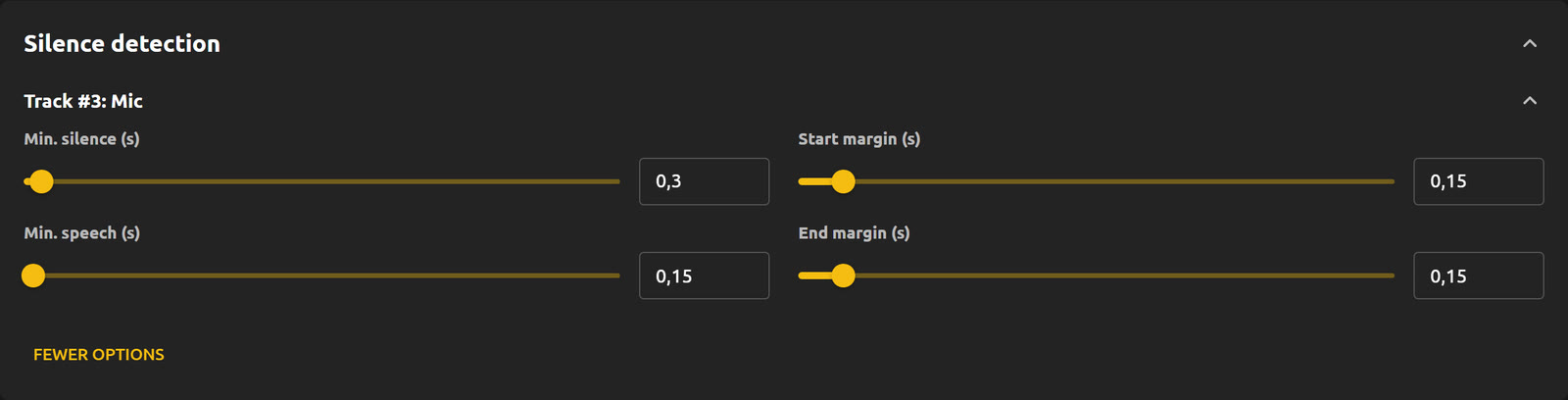
Fine-tune your settings
Set the dB threshold that decides what counts as “quiet”. Then define how long a pause has to be before it gets removed, how short a speech segment may be, and how much padding stays before and after every cut. Anything that has to survive untouched goes into “Do Not Touch” and is left exactly as recorded.
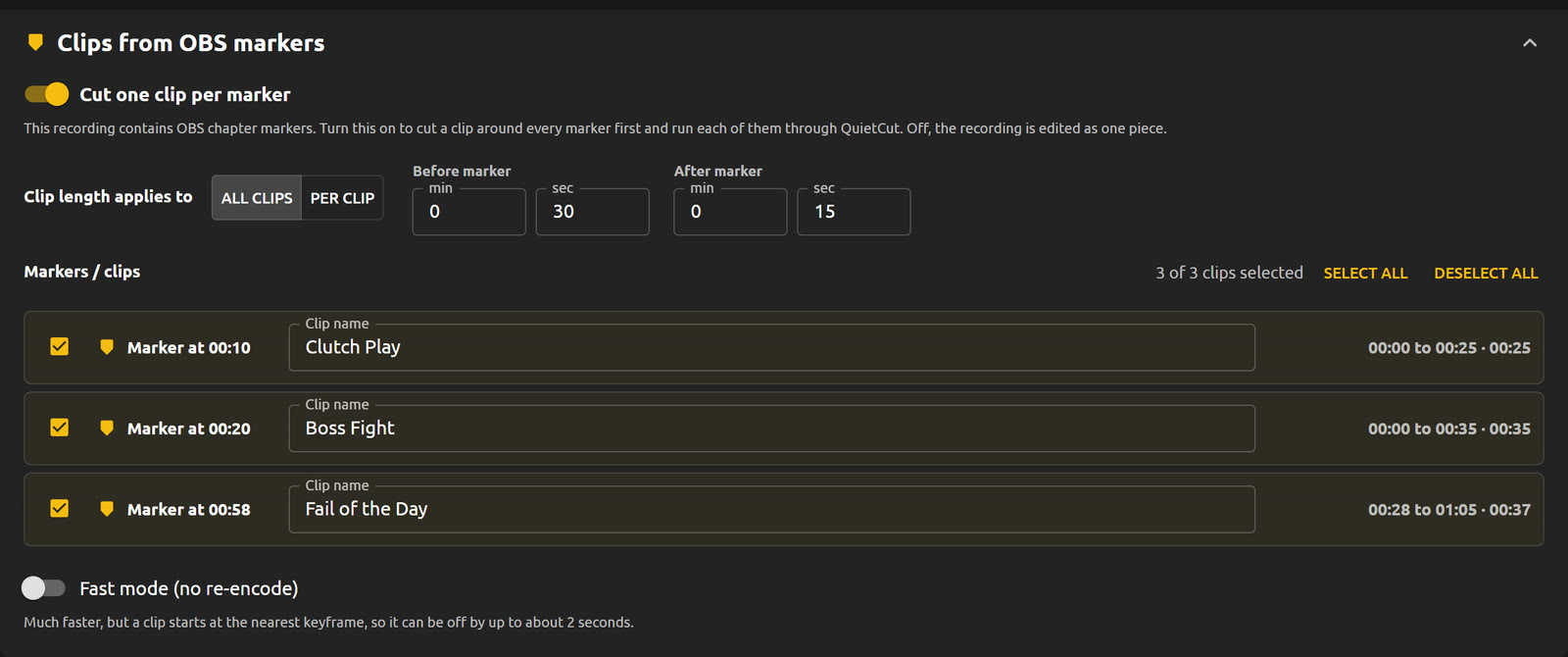
Clips from OBS markers
If you hit the chapter marker hotkey while recording in OBS, QuietCut finds those markers automatically. Every marker becomes its own clip, and you decide how far it reaches before and after the marker, either for all clips at once or per clip. Name them, untick the ones you do not need, and get one finished file per highlight.
Export
Export XML when you want to keep editing in Premiere, DaVinci or Final Cut, which takes just seconds. Or pick MP4 for a finished, fully cut video, or both at once. At the end you see exactly how much shorter your recording got.
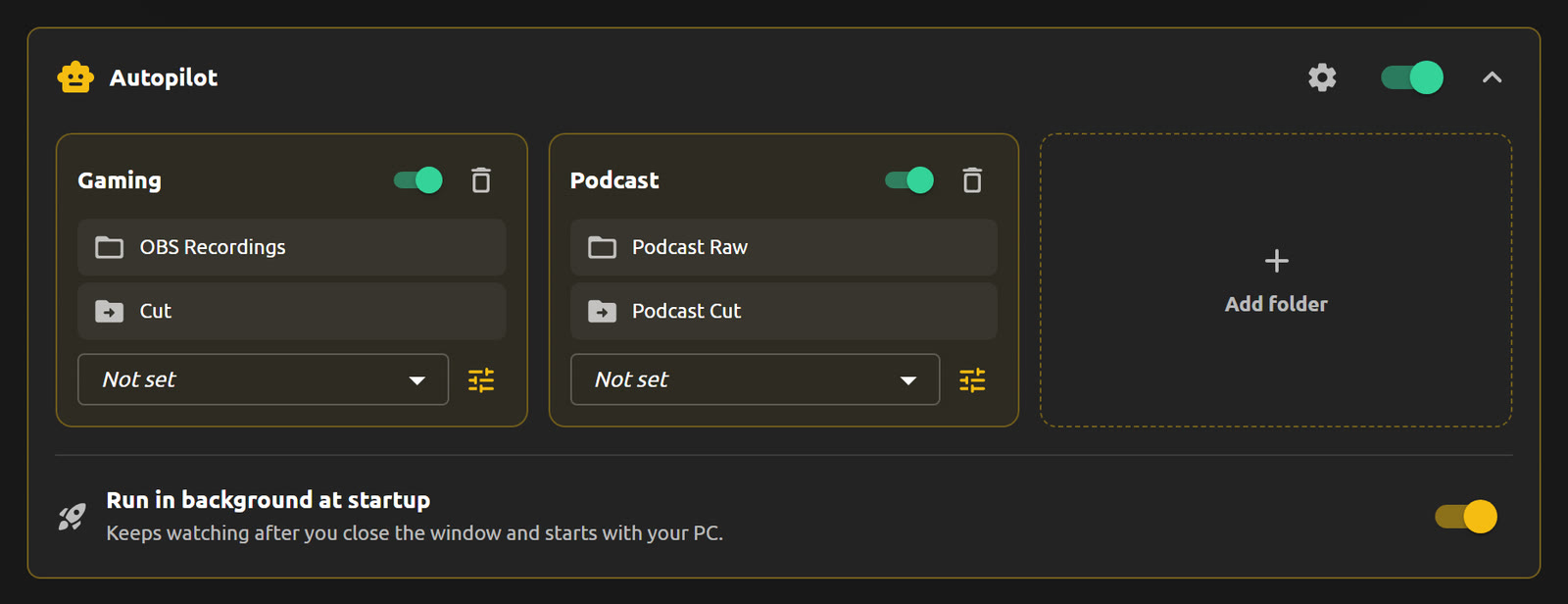
Autopilot: no clicks at all
When you do not want to click anything, point QuietCut at a folder to watch. Every new recording that lands there is cut automatically and saved to your output folder, using the settings you define per folder. It can keep running in the background and start with your PC.
Download
The button automatically downloads the latest .exe from the latest GitHub release.
All releases⚠️ Windows or your browser may warn about this file. This is a known issue with small apps that lack an expensive code-signing certificate. See FAQ for details.
Loading release info…
FAQ
Donate
If QuietCut saves you some time during editing, consider supporting ongoing development.
Thanks for your support.