
Remove pauses and dead air from podcasts automatically
Long pauses, thinking breaks and dead air between topics make a podcast feel slow. Removing them by hand means scrubbing through the whole episode. QuietCut finds every quiet passage in your recording and cuts it out automatically.
It runs locally on Windows and macOS. Your episode is never uploaded and there is no AI deciding what to cut, just an audio analysis you control.
Every host on their own track
If your recording has several audio tracks, QuietCut reads each one separately and gives every track its own dB threshold. A quiet guest and a loud host can both be handled correctly, and you choose which tracks decide where cuts happen.
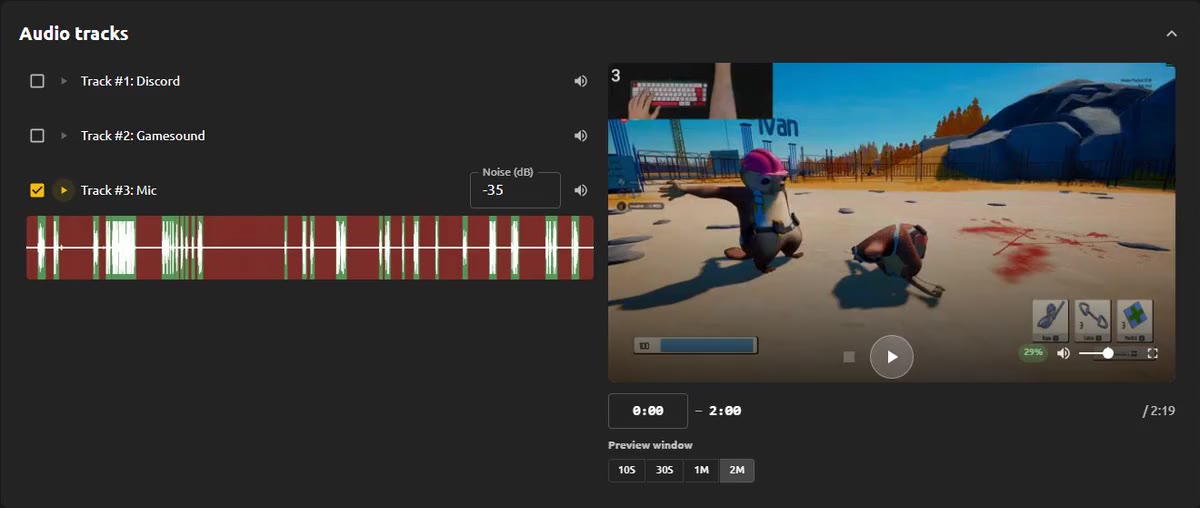
Natural sounding cuts
Margins keep a bit of room before and after every cut, so sentences do not start or end abruptly. A minimum pause length makes sure short breaths stay in and only real pauses are removed.
With Premium you can listen to the result in the audio and video preview before exporting, and mark passages as Do Not Touch so they stay exactly as recorded.
Video podcasts and editing workflow
- Import common video and audio formats.
- Export as MP4 for a finished video podcast.
- Export as XML to open the cut timeline in Premiere Pro, DaVinci Resolve or Final Cut and keep editing.
- Bulk processing and Autopilot (Premium) handle several episodes without extra clicks.
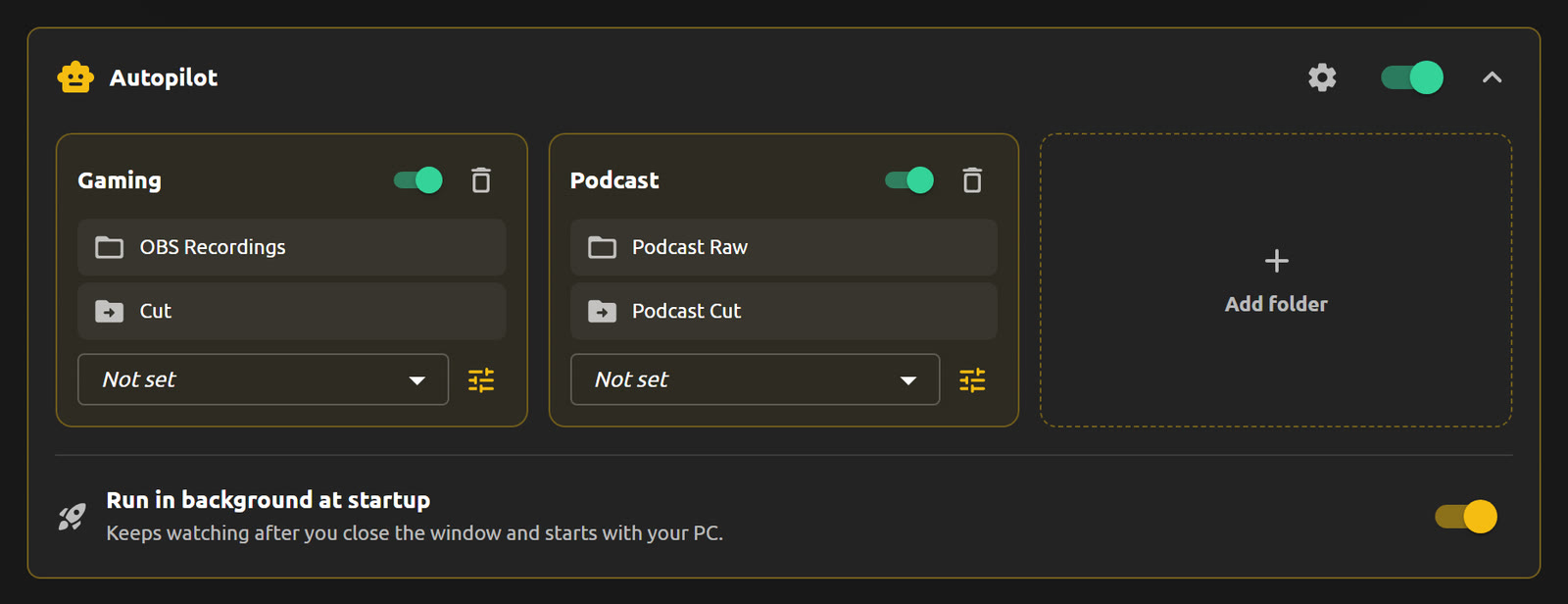
Free to start
The Basic plan is free and includes 1 hour of processing per month, enough to try QuietCut on a full episode. Premium is a one-time payment, not a subscription.