
Automatic jump cuts for YouTube videos
Jump cuts keep talking head videos, tutorials and let’s plays fast paced. Setting every single one by hand is slow, repetitive work. QuietCut does it automatically: every pause below your threshold is cut, and what remains is a tight sequence of jump cuts.
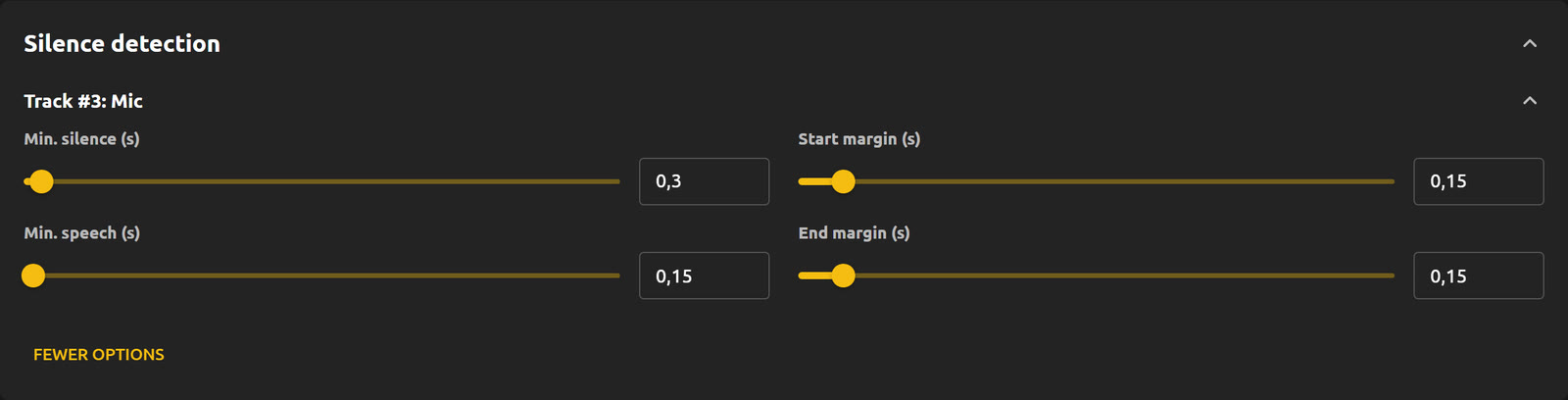
You control how tight the cut is
- dB threshold: decides what counts as a pause.
- Minimum pause length: only pauses longer than this are cut.
- Minimum speech length: very short sounds between pauses can be dropped too.
- Margins: padding before and after each cut, for snappy or relaxed pacing.
Keep editing in your own software
Export the jump cuts as an XML timeline and open it in Premiere Pro, DaVinci Resolve or Final Cut. Every cut is a real edit on the timeline, so you can still adjust single cuts, add B-roll or zooms. If you just want the finished video, export as MP4.
Local, fast and without AI
QuietCut is a desktop app for Windows and macOS. Your footage stays on your machine, and a 2 hour video with 2 audio sources takes around 15 to 30 seconds for the XML export on an NVMe SSD. The Basic plan is free, Premium is a one-time payment.